How to download Marvel Rivals: requirements and size
Marvel Rivals is free, but it is large and hungry for memory. Check three things first: your country’s store offers it, you have 16 GB of RAM, and 70 GB of the drive is free.
In short
- You can buy Lattice packs from us with crypto. On Steam you can also top up the Steam Wallet by login and buy Lattice in the game.
- PC: Steam, the Epic Games Store or the Loading Bay client from marvelrivals.com. Consoles: PS5, PS4, Xbox Series X|S.
- PC minimum: 64-bit Windows 10, 16 GB of RAM, a GTX 1060 or RX 580, 70 GB of storage.
- On PC you can skip the HD textures for a smaller install.
- It is not sold in every country, and there is no phone version.
Where to download Marvel Rivals
| Platform | Where from | Space |
|---|---|---|
| PC, Steam | The game’s Steam page | 70 GB by the requirements |
| PC, Epic | Epic Games Store | See the install window |
| PC, Loading Bay | Download on marvelrivals.com | See the client |
| PS5 and PS5 Pro | PlayStation Store | See before downloading |
| PS4 and PS4 Pro | PlayStation Store | 70 GB, says NetEase |
| Xbox Series X|S | Xbox store | About 76 GB, by Microsoft’s data |
| iPhone and Android | No official version | Nothing to download |
The Download button on marvelrivals.com links to every store. Files offered elsewhere as “Marvel Rivals for Android” have nothing to do with the game.
System requirements
| Minimum | Recommended | |
|---|---|---|
| System | Windows 10, 64-bit, 1909 or newer | The same |
| Processor | Core i5-6600K or Ryzen 5 1600X | Core i5-10400 or Ryzen 5 5600X |
| Memory | 16 GB | 16 GB |
| Graphics | GTX 1060, RX 580 or Arc A380 | RTX 2060 Super, RX 5700 XT or Arc A750 |
| DirectX | 12 | 12 |
| Storage | 70 GB | 70 GB, an SSD is better |
These are Steam’s figures on 22 November 2026. Even the minimum asks for sixteen gigabytes of memory. Steam lists Windows only, with no macOS or Linux version.
How to download it on Steam
Open the game’s page
Sign in and look for Marvel Rivals. If there is no page, the game is not offered in your account’s country.
Take the free game
There is nothing to buy. Press the free game’s button and start installing.
Choose the drive
The developers advise an SSD. Leave room beyond the game’s size, or installing and updating may fail.
Decide on the HD pack
Steam switches it on for a first download. If space is short, switch it off as shown below.
The size and how to shrink it
The requirements say 70 GB. With the update of 7 August 2026 the developers promised better texture compression: the installed game was expected to shrink by about 30% on PC, 20% on PS5 and Xbox and 7% on PS4. The requirements did not change, so read the exact size in the install window.
Since May 2026 the high-resolution textures are a separate free add-on. Without it the game is smaller and looks plainer in places.
- Steam. Right-click the game in the library, Properties, the DLC tab. Untick Marvel Rivals High-Resolution Resource Pack.
- Loading Bay. In the menu by the download button choose Game Only. Game Only + HD assets installs the high-resolution textures.
- Epic. The three dots by the game, Options, Marvel Rivals HD Texture Pack. On 15 May 2026 this was only promised for Epic, so it may be missing.
If it will not install or start
- A DirectX 12 error. Update Windows 10 to 1909 or newer and the graphics driver. Compare the card with the minimum.
- The download stops. Check the network and free space, then restart the client.
- Crashes. Update the drivers and run the client’s repair.
- Beta files are left. The developers ask you to delete them and the old launcher.
If the store has no page for you
On 22 November 2026 Steam shows the game for the US, Türkiye and Kazakhstan, for example, and not for Russia or Belarus. What is known about Russia is in Marvel Rivals in Russia.
Steam forbids disguising where you live. Neither a top-up nor a Lattice pack opens the game where it is not offered. Get it running first and pay afterwards.
The first start and your player number
Sign in on your main platform
The character belongs to the account you signed in with.
Set the language
The game has sixteen languages. The Loading Bay launcher and the game keep separate language settings.
Find the UID
It is the player’s number: look in your profile. A friend can send it too, because the friend list has a quick copy for UIDs. A Steam login or a nickname is not a UID.
Play a match
It proves that the machine copes and the server answers. Then it makes sense to buy currency.
How to buy Lattice through Play Wallet
Top up the Steam Wallet
This is for the Steam version in a country where it is offered. On the Steam top-up choose the account’s country and enter the login. No UID and no password.
Pay for the order
We take crypto: coins, Binance, Walt and TON Connect. The amount and the fee show in advance.
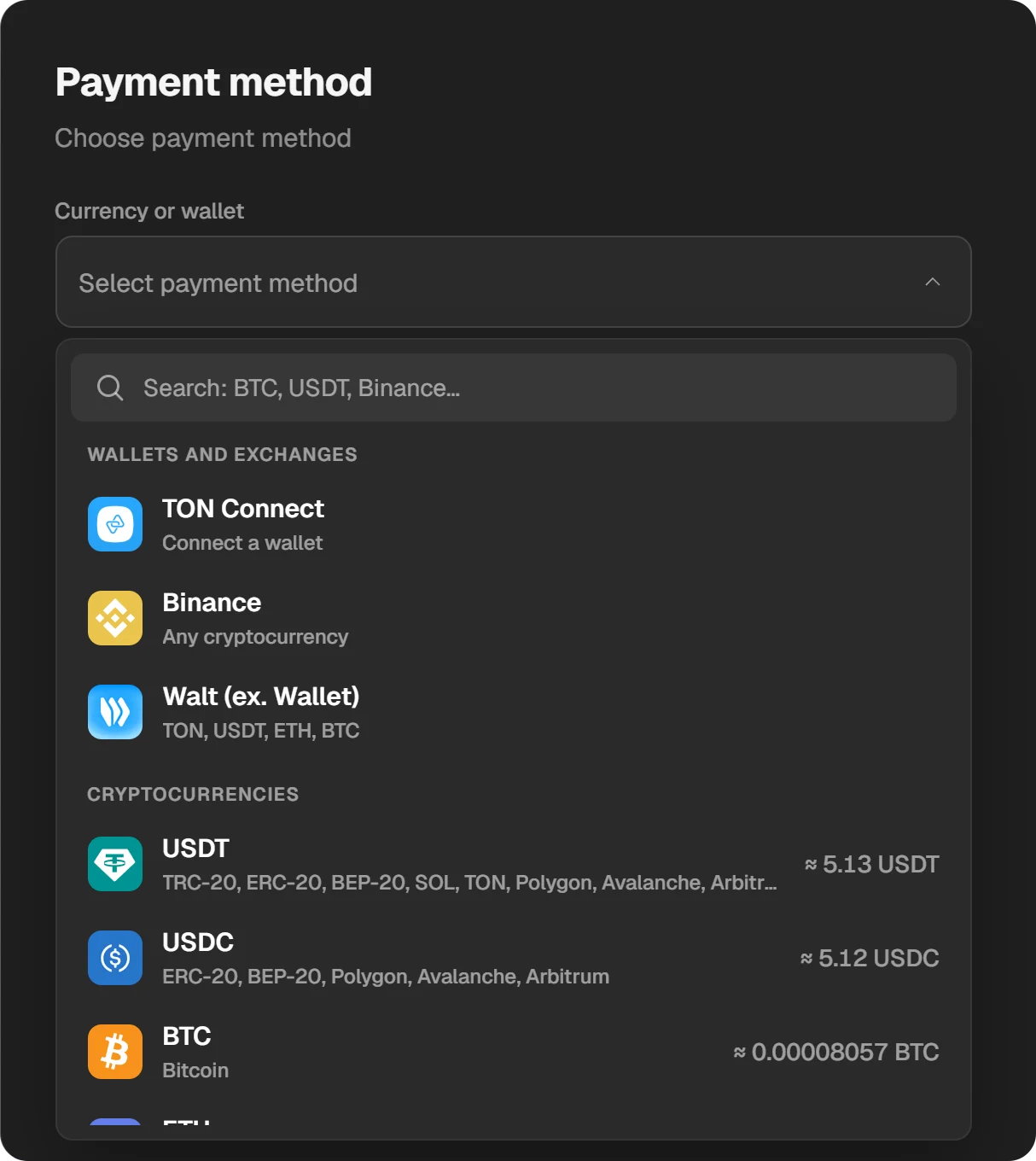
Choosing how to pay.
Buy Lattice in the game
Start the game from Steam, open the Lattice purchase and confirm. If no payment window appears, switch the Steam Overlay on and restart the game.
You can buy Lattice packs from us with crypto. On Steam you can also top up the Steam Wallet by login and buy Lattice in the game.
Is it running? Top up Steam on Play Wallet and buy Lattice. What it buys is covered in skins and the Battle Pass.
Questions and answers
How big is Marvel Rivals?
Steam and the PS4 notice say 70 GB, and the Xbox package is about 76 GB. On PC it is smaller without HD textures. The install window has the exact figure.
Will it run on 8 GB of RAM?
Not by the official requirements: the minimum is 16 GB.
Is the download free?
Yes, in every official store that offers it. Money is only for the currency and purchases inside.
Is Marvel Rivals on mobile?
As of 22 November 2026 the official site lists no iOS or Android version.
Steam or Loading Bay?
All platforms share the servers. On Steam purchases come from the wallet, so a top-up by login is enough to buy Lattice.
Why can I not find it on Steam?
The game is not offered in every country, Russia and Belarus included. Check the store of the country you really live in.